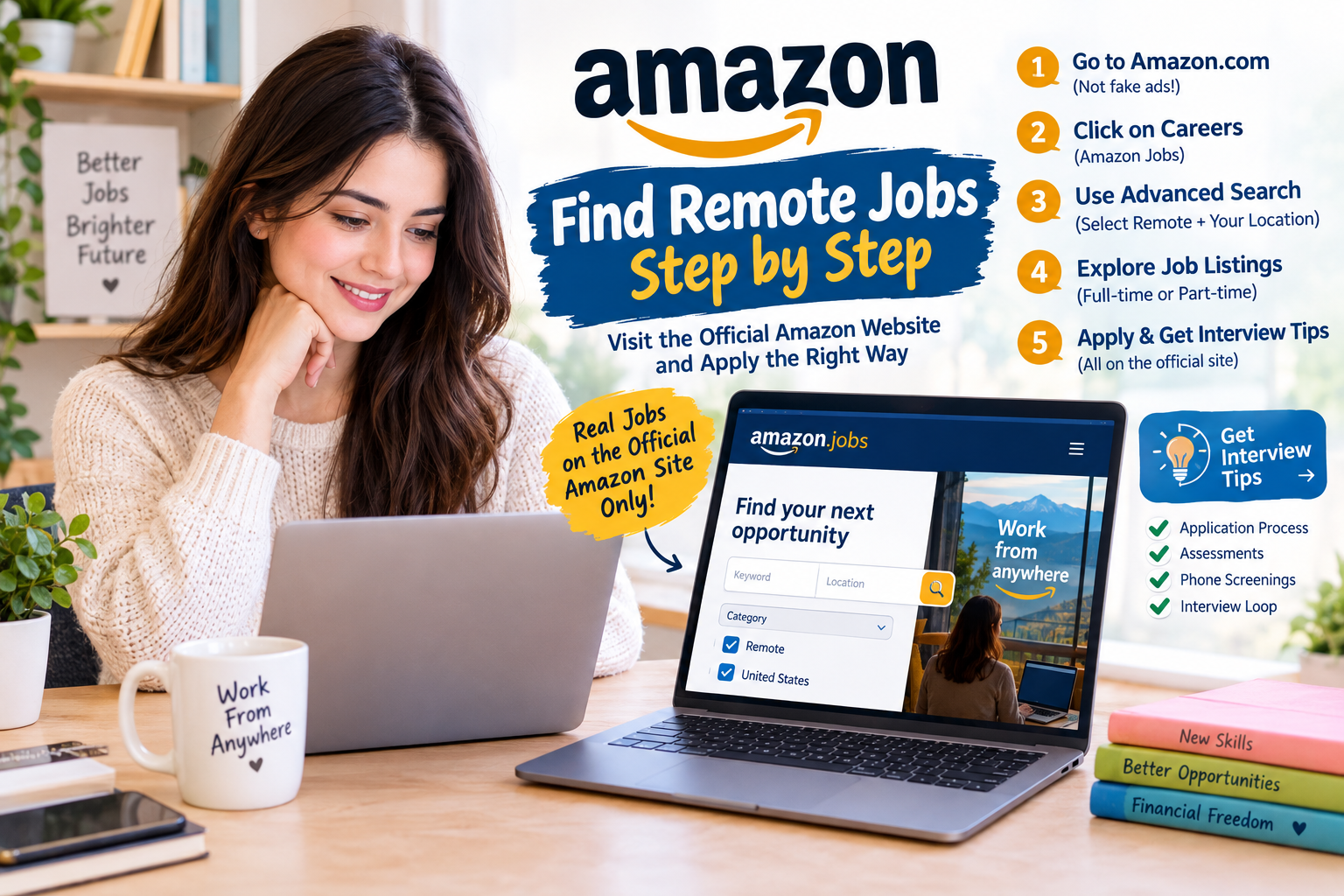
Don’t Be Fooled by Those Ads
Here’s how to find Amazon remote jobs. Don’t click on all of those ads that you see all over Facebook pages, in Facebook feeds, and on Instagram. They have a great big “Amazon is hiring, 36 an hour.” When you click on it, it takes you to a site that has absolutely nothing to do with Amazon. Don’t let those ads fool you.
We Start on Their Homepage
One of the things we always do when we look for jobs with major companies is start on their homepage. It’s always the best way to make sure you’re on the corporate website and applying for a job that the company actually has. It beats going through the fly-by-night ads that appear all over the internet. So start on the Amazon homepage at Amazon.com. Nothing tricky, no bells and whistles.
Let’s Click on Amazon Jobs
https://www.amazon.jobs/en/search?utm_source=chatgpt.com
Across the top of the screen, the page is very customer-focused, as with most sites that have something to sell. Scroll to the bottom of the page, past all of the products. Under “Get to Know Us,” you’ll see a Careers link. Click on Amazon Jobs, and that takes you to their Amazon Jobs page.
Notice the Change in the URL
Notice the change in the URL. You start at Amazon.com, and now you’re at Amazon.jobs. That is their career page, even though it doesn’t say .com anymore. You arrived here directly from the Amazon.com page, so you can rest assured that it’s fine.
A Section for Interview Tips
Before you dive into the jobs, scroll down to the bottom of the Amazon Jobs page, under the Help section. Amazon actually has a section for interview tips, which is lovely. A lot of companies don’t offer that kind of information, so it’s really cool that Amazon has it.
The Interview Loop
Amazon’s interview tips cover the online application, the assessments, any phone screenings, and the interview loop. They keep you on track for everything you can expect as you go through the process. That’s just awesome. Then go back to the advanced search page, where you can take a look at the jobs.
But I’m going to go back and take us to the page we were on, advanced search on, where we were able to take a look on top websites for finding work-from-home job .
The Advanced Search Options
Look at the section at the top, where Amazon gives you the two main fields, the keyword and the location. Bypass all of that by just clicking on the search arrow. That brings you to the advanced search options. In the “Filter by” section, you now have a bunch of different options. Scroll down a little bit.
You’ll See “Remote”
Click on the United States to minimize it to the country you’re in. There are all of the other countries, city, and state too. You don’t need to minimize it any further than that. Then, under “Role Type,” or under “Category,” you’ll see “Remote.”
A List of Remote Jobs Located in the United States
Click on that, and you get a list of Amazon remote jobs located in the United States. You can pick and choose those that work best for you directly from this list if you want to scroll through everything. Or you can choose a specific job category area and fine-tune your search even more using the tools on the left-hand side.
Full-Time or Part-Time
Use those tools if you’re looking for full-time or part-time work, or for something in a specific area of expertise. Before you jump out of this, look at the address bar at the top. Then click on one of these jobs to see if it takes you through to applicant tracking software.
Applicant Tracking Software
Here you’re looking at a job description. Click on “Apply,” and you’ll see that you’re still at Amazon Jobs. If a company uses applicant tracking software, it may be internal, it may be specialized to the company, or it may add another layer or two. But at this point in the search, nothing indicates that Amazon uses applicant tracking software.
Now You Know How to Navigate
So that’s it. Now you know how to navigate to the remote jobs on the Amazon site. You also know that there’s extra information in there to help you ace an interview and better understand the whole application process. It runs from the time you put your information in until the time they invite you for an interview. It’s great that Amazon included that information.
Have a Wonderful Day
If you have any comments or questions, we always love to hear from you. We always answer questions. Have a wonderful day, good luck with your job search.